
Send a TikTok on WhatsApp — No Watermark, No Dead Link
There are two separate annoyances here and most guides only solve one. Paste a TikTok link into WhatsApp and it won't play. Use TikTok's own Save video and it plays, but with a username watermark bouncing around the frame. Here's how to get a clean video that plays in the chat.
Problem 1: the watermark is added on save, not on upload
This is the part worth understanding. The clip TikTok streams into your feed has no watermark — that overlay is applied when you tap Save video, which re-encodes the clip and burns in the moving username tag. Two costs: the watermark itself, and a second lossy encode on top of TikTok's original compression.
So the watermark isn't something you remove. It's something you avoid, by taking the file TikTok was already streaming instead of the one it generates for saving. No cropping, no blur tool, no quality loss.
Problem 2: WhatsApp doesn't play links, ever
A link in WhatsApp becomes a preview card — a title, a description, a thumbnail — and that's the ceiling. There is no inline player for links on any platform, by design. Your recipient taps out to TikTok, waits for the app to open, and often lands on the wrong screen or a login prompt.
The fix is the same as the watermark fix: send the video as an attached file. WhatsApp plays attachments in the chat bubble immediately, no app-switching.
Worth noting the contrast: Telegram will render a player for a direct video URL, so there you can stay link-based — see how that works. WhatsApp needs the file.
Short links (vm.tiktok.com, vt.tiktok.com) work as-is — the redirect is followed for you.
Step by step
Android
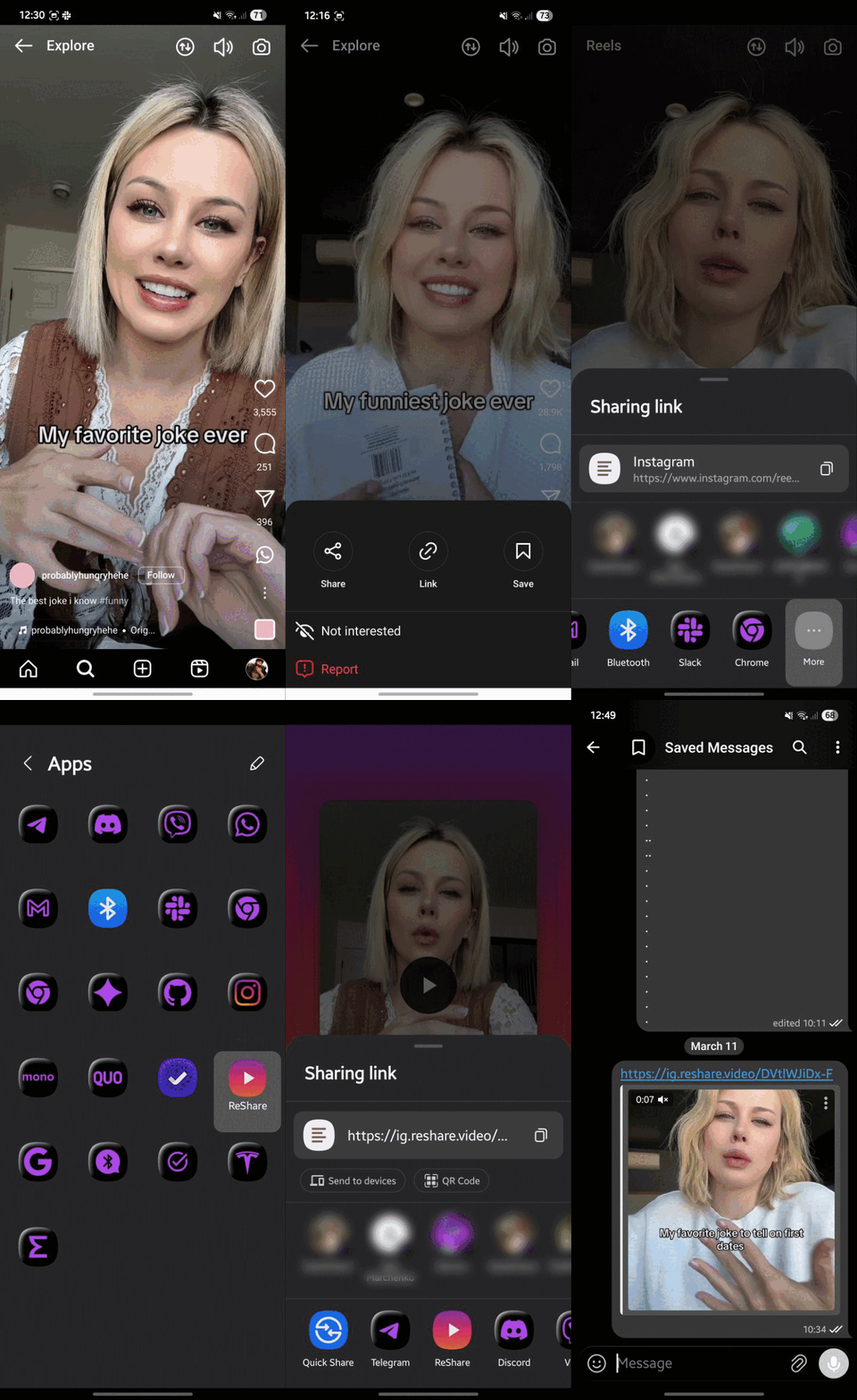
- Open reshare.video in Chrome, tap menu → Add to Home screen → Install (once)
- In TikTok, tap Share on the video → ReShare
- Tap Download to device
- In WhatsApp, open the chat → attachment icon → Gallery → pick the video
iPhone
- Add the ReShare Shortcut
- Open the TikTok → Share → More → ReShare
- Save the video, then attach it from Photos in WhatsApp
Desktop
Drag the ReShare bookmarklet from the homepage to your bookmarks bar, click it on any TikTok page, download the file, then drag it into a WhatsApp Web chat.
Keeping full quality
WhatsApp re-compresses anything sent through Gallery, which on an already-compressed TikTok can look rough. If the clip is text-heavy or detailed, attach it as Document instead — that transfers byte-for-byte. It arrives as a file row rather than a playable bubble, so it's a genuine tradeoff: quality or convenience.
Questions
Is removing the watermark allowed?
Nothing is being removed — the file extracted never had one. That said, the video is still the creator's work. Fine for sending to a friend; if you're reposting it publicly, credit the creator. See our Terms & DMCA.
Does it work for private or friends-only videos?
No. Only publicly viewable TikToks can be extracted, and ReShare never asks for your login.
Can I get just the audio?
Not currently — ReShare extracts the video file. You'd need a separate tool to strip the audio track.
Is there a length or size limit?
WhatsApp allows up to 2 GB per attachment, so any normal TikTok is fine. Very long uploads (10 minutes plus) may take a while to download first.