
How to Use ReShare
ReShare turns a social video link into the actual video file, so it plays right inside Telegram, WhatsApp and other messengers instead of arriving as a link nobody can tap. Setup takes about a minute and there's no account. Pick your device below.
Android
Installing ReShare as an app puts it directly in Android's system Share menu, which means you never have to copy or paste a URL.
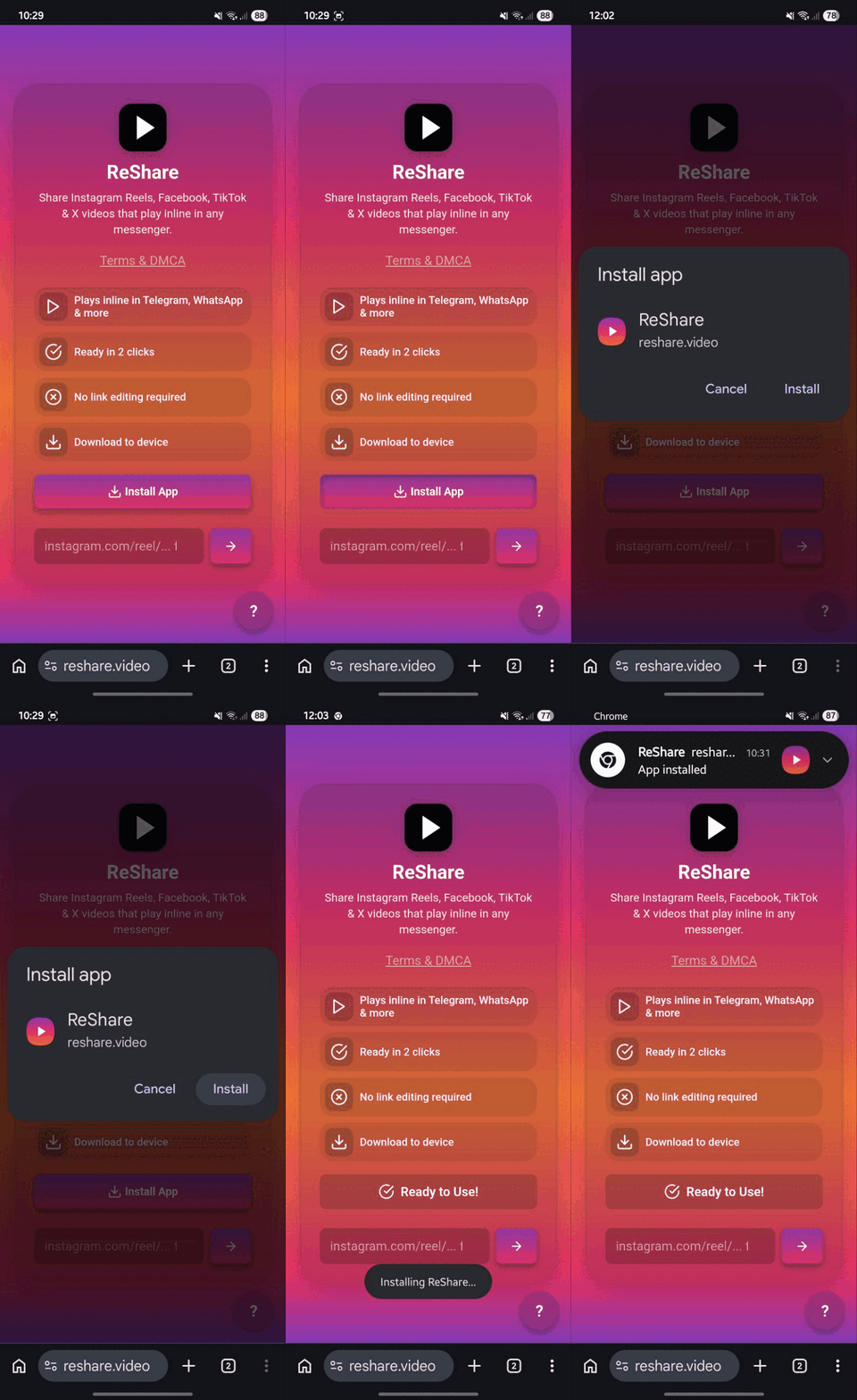
Install the app
- Open reshare.video in Chrome
- Tap menu → Add to Home screen
- Tap Install to confirm
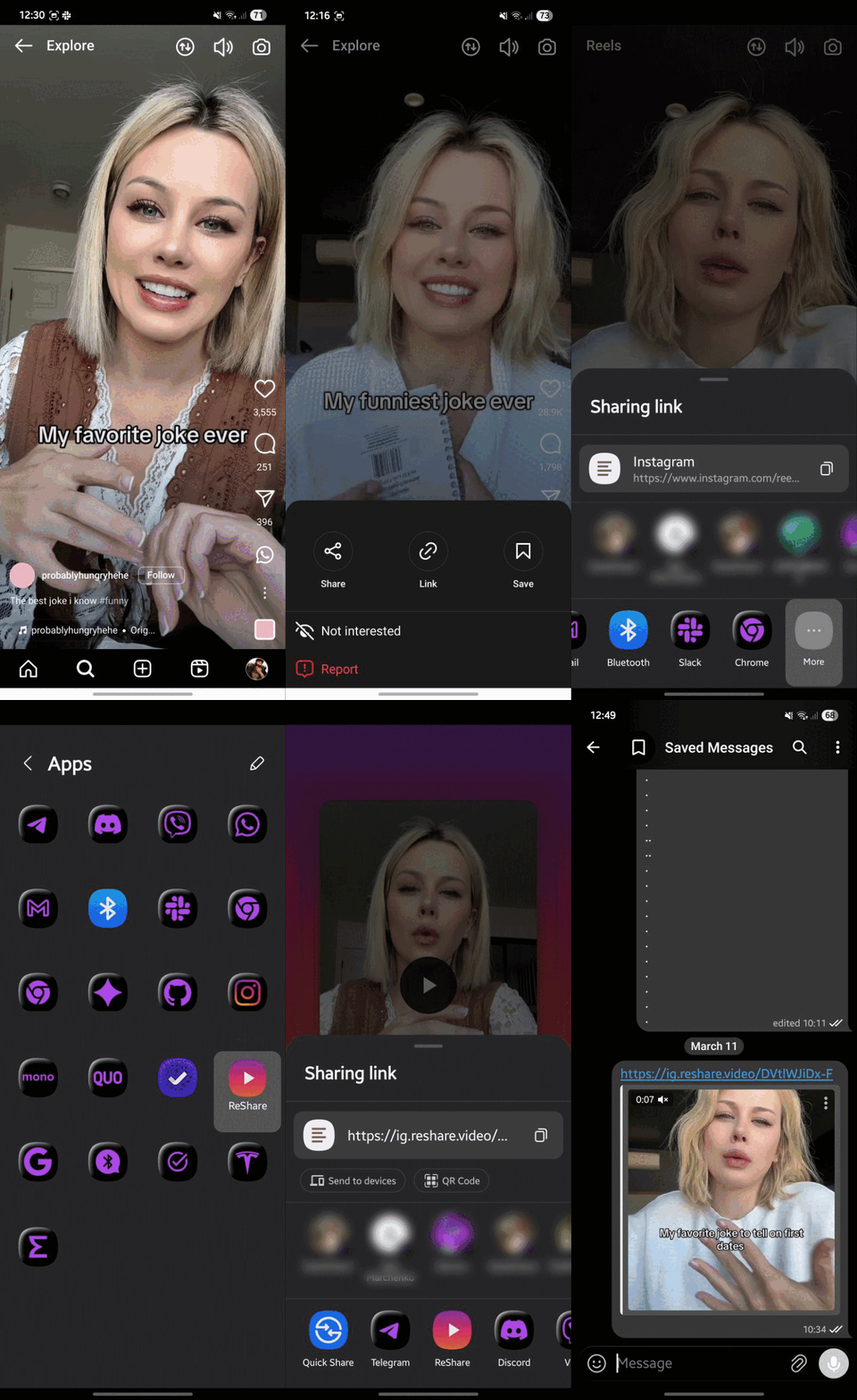
Share a video
- Open a video in Instagram, Facebook, TikTok or X
- Tap Share and select ReShare
- Tap Share again → choose Telegram, WhatsApp, etc.
Or tap Download to device to save the video file instead — that's the route you want for WhatsApp, which only plays attached files.
iPhone & iPad
iOS doesn't let web apps join the Share menu, so ReShare uses an Apple Shortcut instead. Same result, same two taps.
Install the Shortcut
Add
ReShare
to your Shortcuts, then use it from any Share menu.
Tap Add Shortcut on the iCloud page to confirm. It's also on the main page if you're reading this on your phone.
Share a video
- Open a video in Instagram, Facebook, TikTok or X
- Tap Share → More → ReShare
- Choose where to share: Telegram, WhatsApp, etc.
Desktop
On a computer there's no Share menu to hook into, so ReShare works as a bookmarklet — one click on any video page.
Add the bookmarklet
Drag
ReShare
to your bookmarks bar, then click it on any video page.
Then open a video on Instagram, Facebook, TikTok or X and click ReShare in the bar.
A small window opens with the extracted video, ready to copy, download or share. If your bookmarks bar is hidden, press Ctrl+Shift+B (or ⌘+Shift+B on a Mac) to show it.
You can also skip the bookmarklet entirely and just paste a link into the box on the homepage.
Good to know
- No account, ever. ReShare never asks you to log in to anything.
- Public videos only. Private accounts and friends-only posts can't be extracted.
- No watermark, no re-encoding. You get the original file the platform already serves.
- Links expire. Platform CDN links are time-limited — fine for a chat message, but use Download to device if you need to keep it.